
Why Choose VB Decompiler Over Competing Decompilers?
A useful decompiler does more than display plausible-looking code. It helps you move from a compiled program to an explanation of its behavior, its interface and its dependencies. Here is how VB Decompiler supports that work across Visual Basic 5.0/6.0 and .NET applications.
One workspace for VB5/6 P-Code, Native Code and .NET
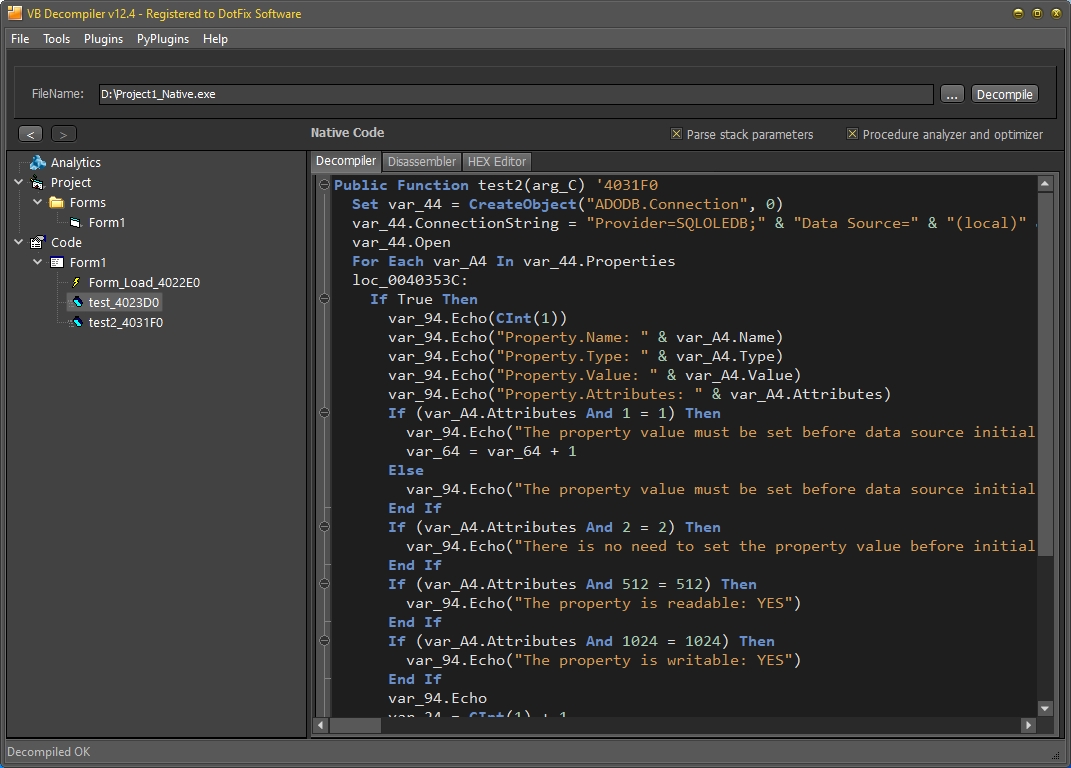
Visual Basic 5.0/6.0 can compile a program to P-Code or x86 Native Code. The two modes demand different recovery techniques, and neither can restore information the compiler discarded. VB Decompiler supports high-level decompilation of both VB5/6 modes. It also converts the MS IL of supported .NET assemblies, whether originally written in VB.NET, C# or another .NET language, into C# and can disassemble unmanaged x86/x64 code found in .NET applications. This breadth matters when an investigation spans more than one generation of Windows software.
For P-Code, see the decompilation walkthrough. For Native Code, the VB6 reverse-engineering article shows how reconstructed statements and assembly evidence work together. The .NET release article explains the managed-code workflow.
P-Code
Inspect procedures, calls, branches and data operations as reconstructed code rather than relying on an opcode listing alone.
Native Code
Read recovered VB-like logic, then verify uncertain details against the corresponding assembly and low-level views.
.NET
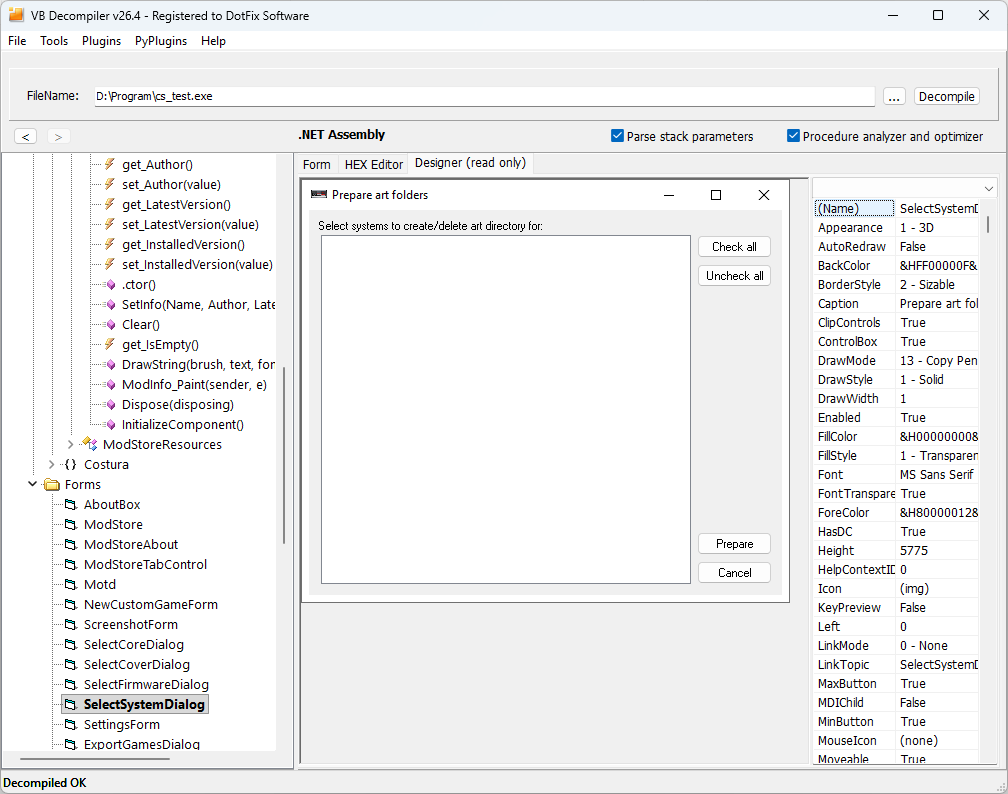
Explore metadata and IL, reconstruct C# and inspect forms without requiring the target application's .NET runtime for core analysis.
Set the right expectation: decompilation is reconstruction, not recovery of the original source file. Names, types and control flow may need analyst verification, particularly in optimized or protected binaries.
Follow the evidence beyond a single code pane
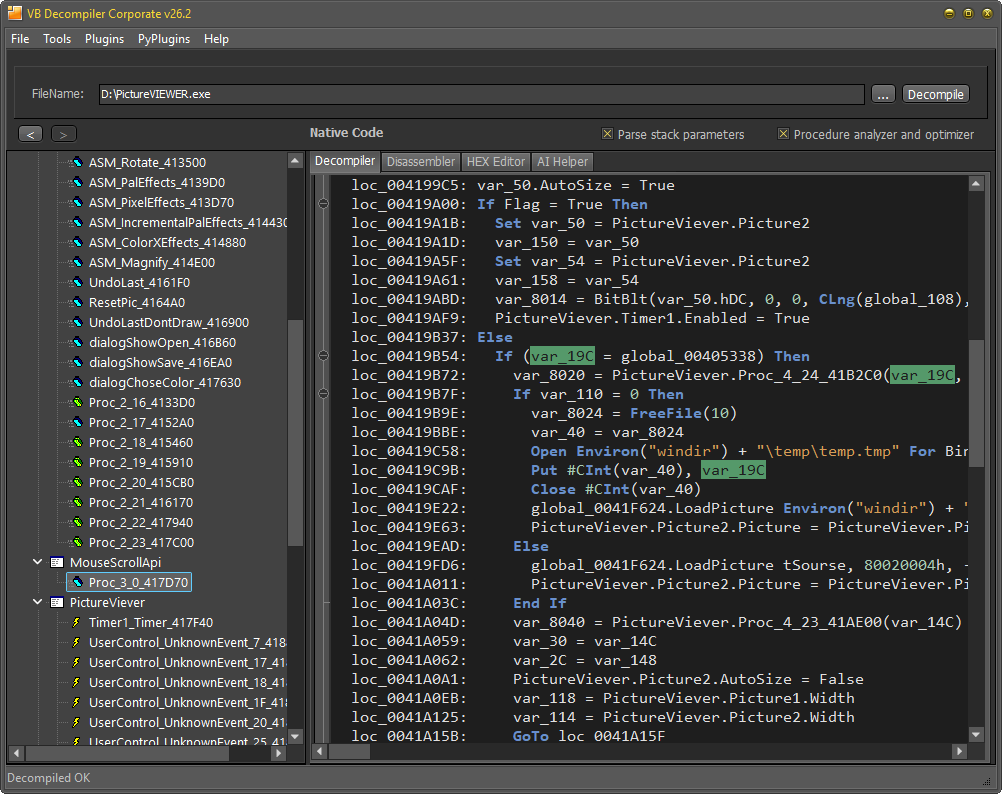
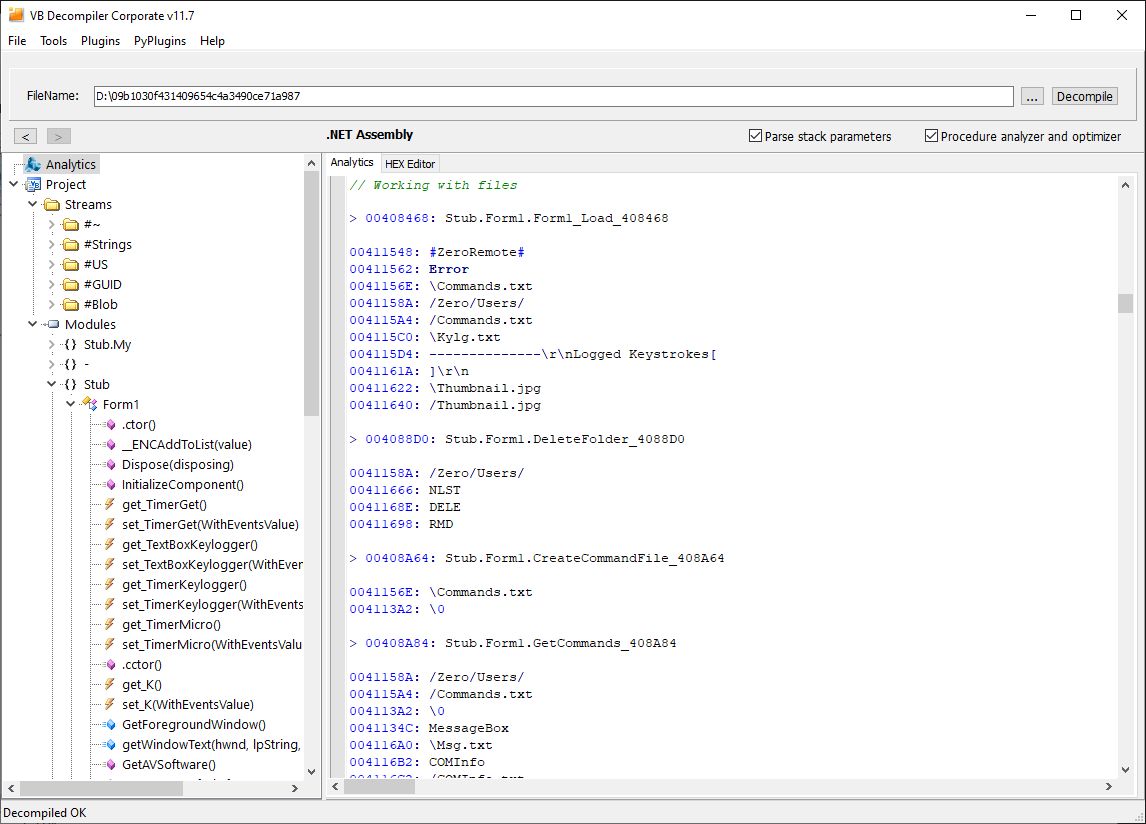
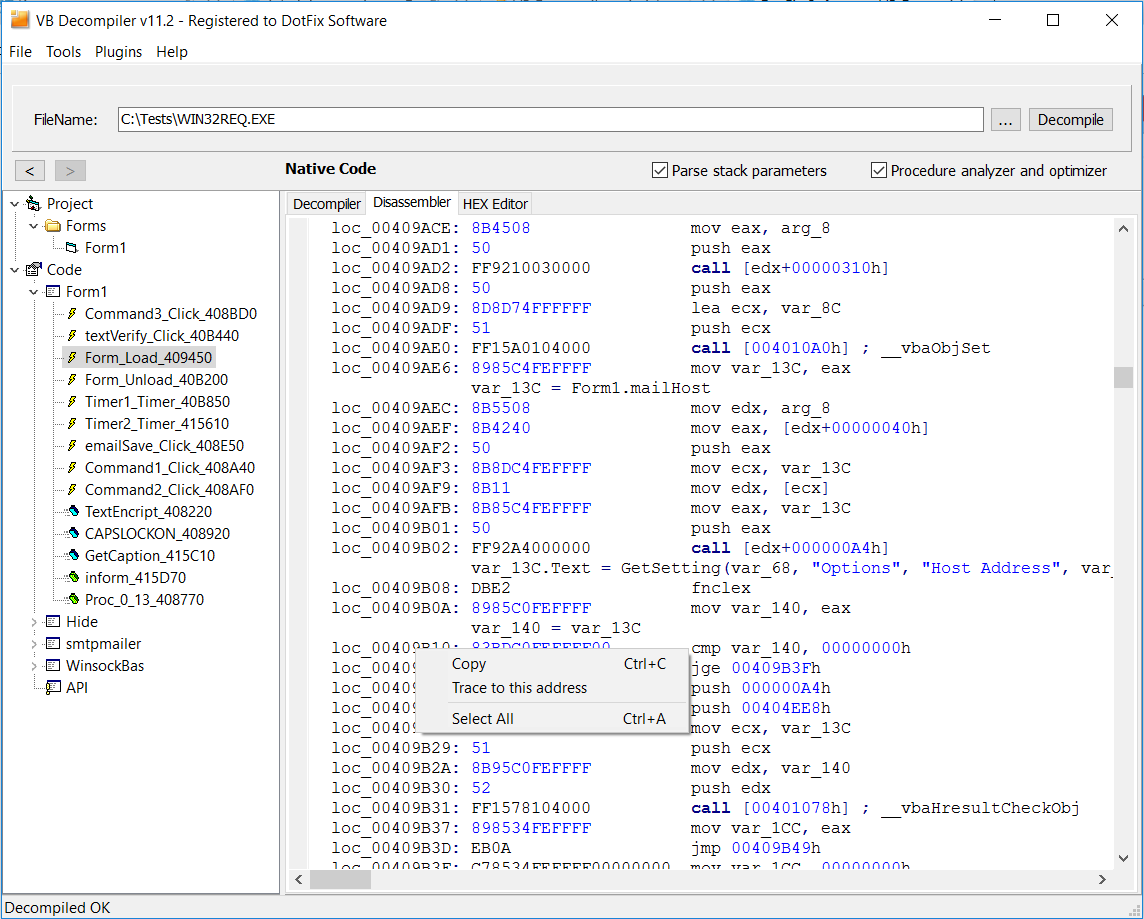
VB Decompiler keeps code, disassembly and HEX-oriented views connected, so an analyst can check how a reconstructed expression relates to the binary. Procedure and string searches, cross-references and variable renaming help preserve context as the investigation grows. Its Analytics groups behavior involving files, the registry, network activity and processes; the P-Code and Native Code tracer provides step-by-step inspection within its documented emulator limits.
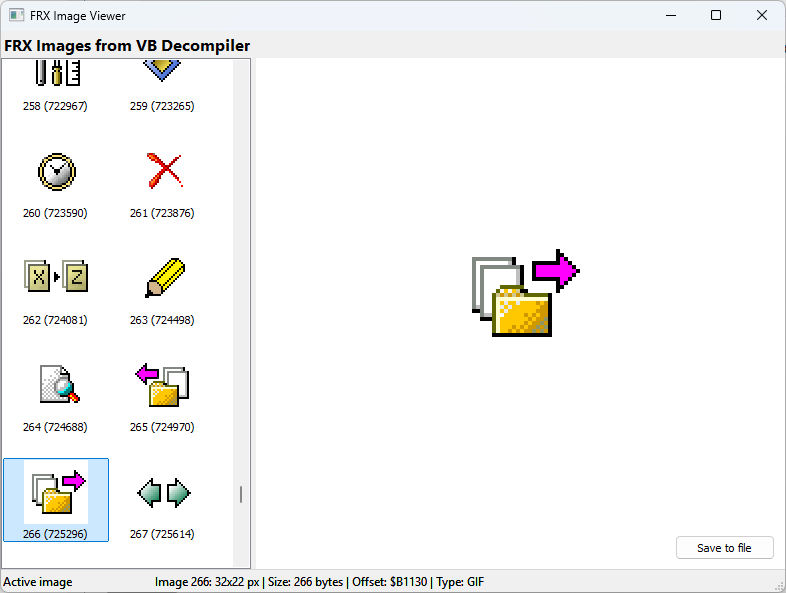
The interface is part of the evidence too. Visual Basic forms, events and FRX resources can reveal the user's path through an application. Recent releases add static visual reconstruction of .NET Windows Forms and VB6 menus, FRX image and icon viewing, and more precise branch and reference analysis. Together these views make it easier to connect a control, its event handler, the data it uses and the code that implements the behavior.
The recovered code is particularly well suited to AI post-processing. The resulting decompilation preserves procedure boundaries, calls, control flow, API usage and strings in copyable code. That context makes it useful for further analysis with local or API-based AI models, which can help explain behavior, suggest meaningful names and make reconstructed code easier to read. The AI Helper documentation explains the built-in workflow.
For teams that need custom workflows, the plugin SDK provides access to analysis data and actions. Procedure names and addresses can also be exported for use in other reverse-engineering tools.
Feature-by-feature comparison
This table preserves the practical questions customers ask when choosing a decompiler. The second product is an unnamed, closely comparable offline desktop alternative examined in September 2026. Its entries describe what we observed in that version and workflow, not a claim that a feature is absent from every competitor or from future releases. Follow the linked articles and documentation for details of VB Decompiler's capabilities.
| Capability | VB Decompiler | Comparable offline competitor | What it means in practice |
|---|---|---|---|
| Decompilation and code views | |||
| VB5/6 P-Code high-level decompilation | ✓ Available | ✕ Not observed | VB Decompiler reconstructs code from P-Code; the comparable tool showed project structure but no code for the selected module in our test. How P-Code decompilation works. |
| VB5/6 Native Code decompilation | ✓ Available | ✓ Available | Both produced useful Native Code views in the evaluated workflow. See VB Decompiler's Native Code approach and verify results against assembly when needed. |
| .NET IL decompilation to C# | ✓ Available | ✕ Not observed | VB Decompiler handles supported VB.NET, C# and other .NET assemblies. Read the .NET decompilation article. |
| Switch and combine decompiled and disassembled views | ✓ Available | ◐ Partial | VB Decompiler can switch, synchronize and merge these views without analyzing the project again. In the alternative evaluated, the mode had to be chosen before analysis and switching required reanalysis. |
| Visual reconstruction of .NET Windows Forms | ✓ Available | ✕ Not observed | Inspect Windows Forms, events and menus visually without running the target assembly. This does not claim WPF visual reconstruction. |
| VB5/6 forms, project and resources | ✓ Available | ◐ Partial | Both tools exposed project and form metadata. VB Decompiler also renders a visual form view, supports standard and many non-standard controls, and links a form event to its code. |
| Synchronized code, disassembly and HEX views | ✓ Available | ✕ Not observed | Check the same location across high- and low-level views instead of treating reconstructed code as unquestionable source. |
| Analysis, navigation and modification | |||
| AI Helper for P-Code, Native Code and C# | ✓ Local or API | ✕ Not observed | One-action code cleanup can use a local Ollama model or an optional configured cloud API. AI cannot repair missing or incorrectly reconstructed semantics automatically. |
| Search within code and the analyzed project | ✓ Available | ✕ Not observed | Search procedures, code, strings and references. The alternative's observed search located EXE and OCX files on disk rather than searching code inside the open project. |
| Linked HEX editor and byte/block patching | ✓ Available | ✕ Not observed | Navigate by virtual address or file offset and patch bytes or blocks. |
| View and export embedded images and icons | ✓ Available | ◐ View only | The observed alternative displayed images without a disk-export function. VB Decompiler's FRX Viewer displays and exports them; its source is public. |
| Step-by-step P-Code and Native Code tracing | ✓ Both modes | ✕ Not observed | Inspect registers, stack and variables in an emulator without executing each instruction on the real CPU; documented emulator limits still apply. |
| Edit recovered VB5/6 forms and controls | ✕ Not offered | ◐ Limited editing | An advantage of the evaluated alternative: it can change some visual properties, including captions and control states. It does not edit program code; as with any binary modification, verify the saved executable, especially when it contains appended data. |
| Behavior report: files, registry, network and processes | ✓ Available | ✕ Not observed | Analytics groups relevant routines and references for faster behavior investigation. |
| Named function search and cross-references | ✓ VB6 and .NET | ✕ Not observed | Find a function and follow its callers and references. |
| Dedicated string search | ✓ Available | ✕ Not observed | Search strings as a distinct investigation workflow. |
| String references, editing and navigation | ✓ Available | ✕ Not observed | See every use and jump to the relevant code; edited text must fit the original binary allocation. |
| Rename recovered local and global variables | ✓ Available | ✕ Not observed | Give variables meaningful names and retain context while navigating references. |
| Extensibility, export and deployment | |||
| Native plugin SDK | ✓ Documented | ✕ Not observed | Build custom actions and access analysis data, with examples in several languages. |
| Analyze .NET assemblies without installing .NET | ✓ Available | ✕ Not observed | Metadata and IL are parsed without Reflection or .NET libraries. |
| Python plugins | ✓ Available | ✕ Not observed | Python complements the native SDK for automation; examples are on GitHub. Plugins need a compatible Python runtime; core analysis does not. |
| Linux via Wine and macOS via Parallels | ✓ Documented | ✕ Not observed | See Mac M1/Parallels and Steam Deck/Wine examples; results depend on the compatibility environment. |
| Export names and addresses to other tools | ✓ Available | ✕ Not observed | Export MAP, IDC and HIEW NAMET files for IDA, HIEW and other analysis tools. |
| Core analysis without mandatory external runtimes | ✓ Self-contained | ✕ Not observed | The VB Decompiler core needs no .NET runtime. Optional AI processing uses either an installed local Ollama model or a configured cloud API. |
| Offline use and offline activation | ✓ Available | ✓ Available | Both evaluated products can work offline. VB Decompiler supports isolated workstations, with offline activation arranged through technical support. Cloud AI is optional. |
Keep the analysis on an isolated machine
Core decompilation works fully offline. VB Decompiler can analyze local files with the network disconnected; using a third-party server or uploading the target binary is not required. Offline activation can be arranged through technical support, making the product suitable for an isolated workstation after installation and activation are prepared.
AI assistance is optional. If a local model and Ollama have been installed in advance, AI post-processing can also remain on the local machine. A configured cloud API, by contrast, sends the selected code to that provider and requires a connection. Leave cloud integration disabled when the material must remain inside an air-gapped environment. Network isolation prevents a required online upload; it is not a substitute for normal precautions when examining untrusted files.
See the capabilities in the product
These screenshots come from VB Decompiler release articles. Select an image to open it at full resolution, or follow its linked release article for the surrounding explanation.
How to compare an offline decompiler on your own project
The closest alternative is the one that supports your actual binaries and workflow. Rather than relying on a universal score, try the same representative files in each locally installed tool and check:
- Compilation modes: does it produce useful results for your P-Code, Native Code or .NET assemblies, rather than only recognizing their project structure?
- Verifiability: can you move between reconstructed code and lower-level evidence when an expression looks uncertain?
- Context: can you follow forms, events, calls, strings, references and resources through the application?
- Workflow: can you search, annotate or export the information you need without repeatedly starting the analysis?
- Privacy: will the complete analysis work with the network disconnected, and are any cloud features clearly optional?
These are evaluation questions, not assertions about any unnamed product. Results vary with compiler settings, dependencies, optimization and protection. Test with your own representative files before choosing a tool.
Explore VB Decompiler on your own binaries
If your work crosses VB5/6 P-Code, Native Code and .NET, VB Decompiler brings reconstruction, low-level verification, interface recovery and behavior analysis into one locally usable environment. Start with a representative executable and judge the output against the questions above.
© Sergey Chubchenko, DotFix Software