
Visual WPF Form Reconstruction and Broader Interface Analysis in VB Decompiler v26.5
We are pleased to announce the release of VB Decompiler version 26.5. The central feature of this release is visual reconstruction of WPF interfaces in compiled .NET applications. VB Decompiler can now recover windows, pages, and user controls from compiled XAML (BAML) resources and present their structure as a visual form instead of leaving the analyst to interpret the resource data manually.
Version 26.5 also substantially expands the existing Windows Forms and Visual Basic 5.0/6.0 form viewers, improves
Select Case reconstruction in VB Native Code, adds support for more functions from the VB5 and VB6 runtime libraries, and completes a broad terminology-focused update of 22 interface localizations.
Visual Reconstruction of WPF Forms from Compiled BAML
WPF applications normally store their interface definitions as compiled XAML resources known as BAML. Although this data preserves a considerable amount of information about an application's windows and controls, understanding the resulting interface directly from the compiled structures is slow and inconvenient during reverse engineering.
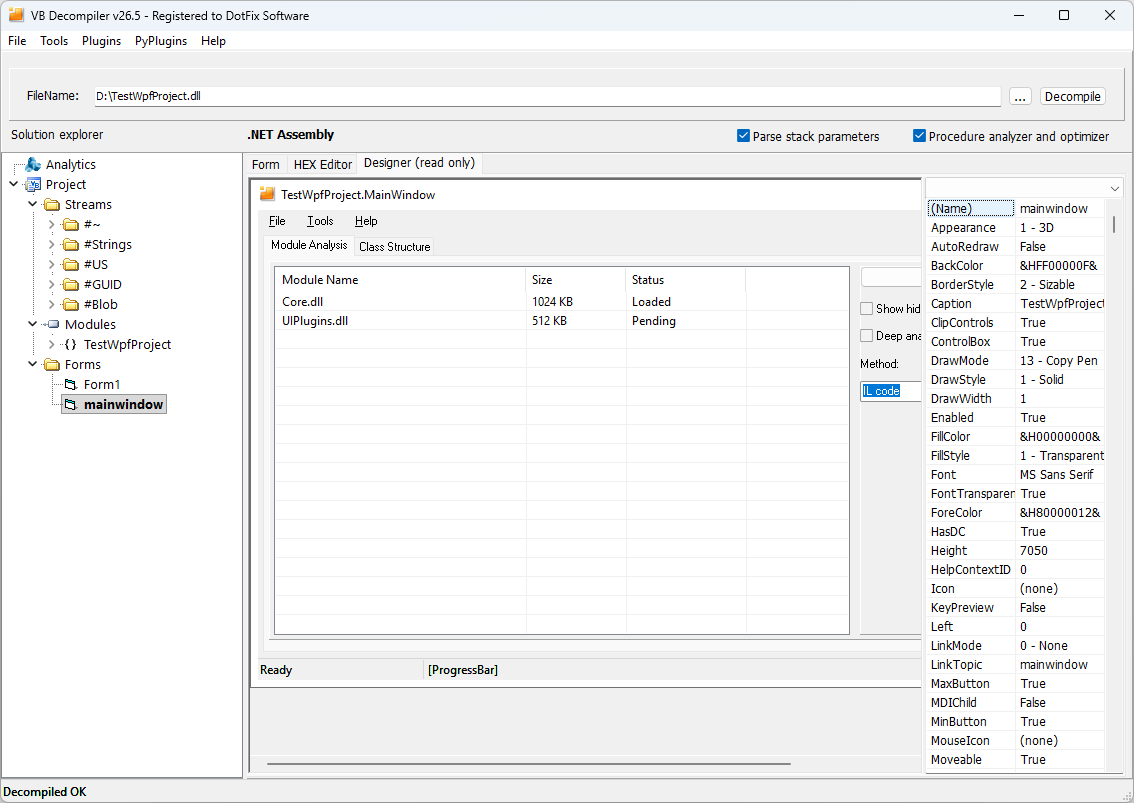
VB Decompiler v26.5 reads these resources and reconstructs a visual representation of WPF windows, pages, and user controls. Common controls are displayed in their expected positions, including buttons, labels, text boxes, check boxes, radio buttons, combo boxes, list boxes, and images. This gives an analyst an immediate overview of the interface and makes it much easier to understand the purpose and internal organization of an unfamiliar .NET application.
Reconstructing Real WPF Layouts
WPF interfaces are rarely built from controls placed at fixed coordinates. Their appearance depends on layout containers and on the rules used to size and align every element. The new reconstruction engine therefore understands the most common WPF layout systems:
- Grid, including fixed,
Auto, and proportional (*) row and column sizes. - StackPanel, including horizontal and vertical orientation.
- DockPanel, including the docking direction of individual controls.
- Canvas for explicitly positioned interface elements.
- Nested containers combining several layout strategies in the same window.
The reconstruction takes explicit sizes, margins, padding, alignment, orientation, docking, and Grid row and column spans into account. These details are essential: without them, even correctly identified controls would not reveal the actual structure of the original form.
Menus, Tabs, Trees, Lists, and Complex Interface Elements
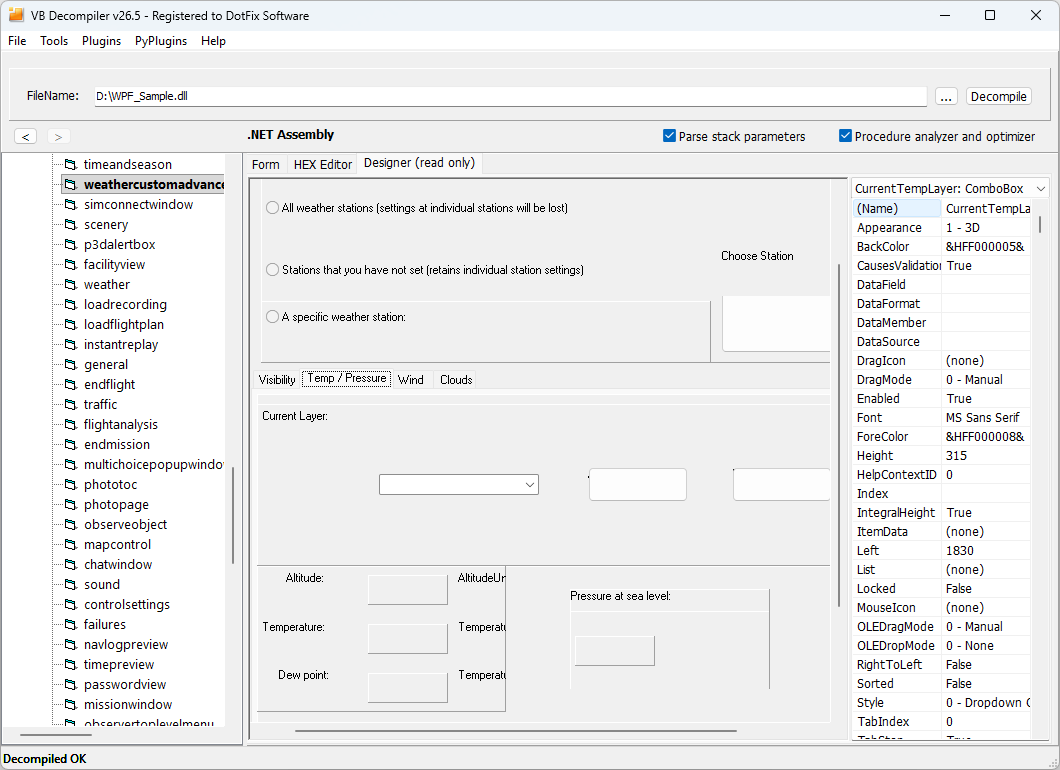
The WPF viewer is not limited to basic input controls. Version 26.5 also reconstructs interface structures that often provide the best clues about an application's workflow:
- Tab controls, group boxes, and expanders.
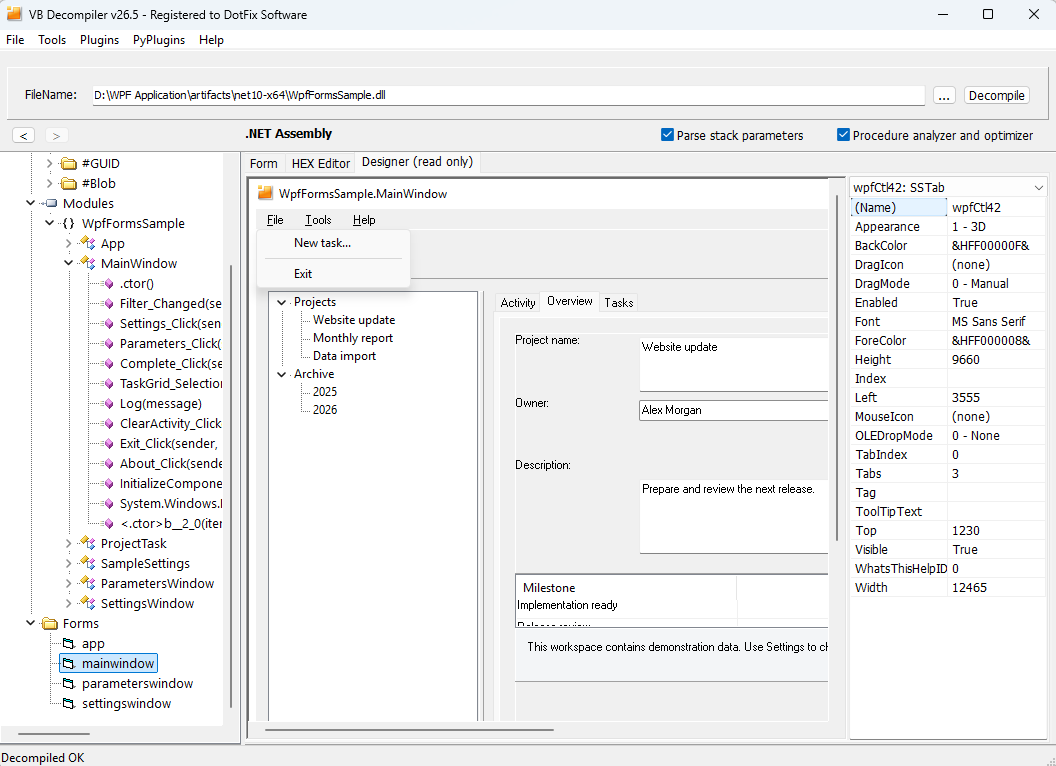
- Main menus with their original hierarchy, nested items, and separators.
- Status bars and their built-in panels.
ListViewcontrols with column headers and supported statically defined data.TreeViewcontrols with statically defined nodes.- Statically defined combo box items.
- Simplified representations of Ribbon interfaces, navigation panes, and docked panels.
Even when a complex framework-specific interface cannot be reproduced exactly, its recovered hierarchy still shows the analyst which navigation and data-presentation components were present in the original application.
Recovered Properties, Images, and Custom Controls
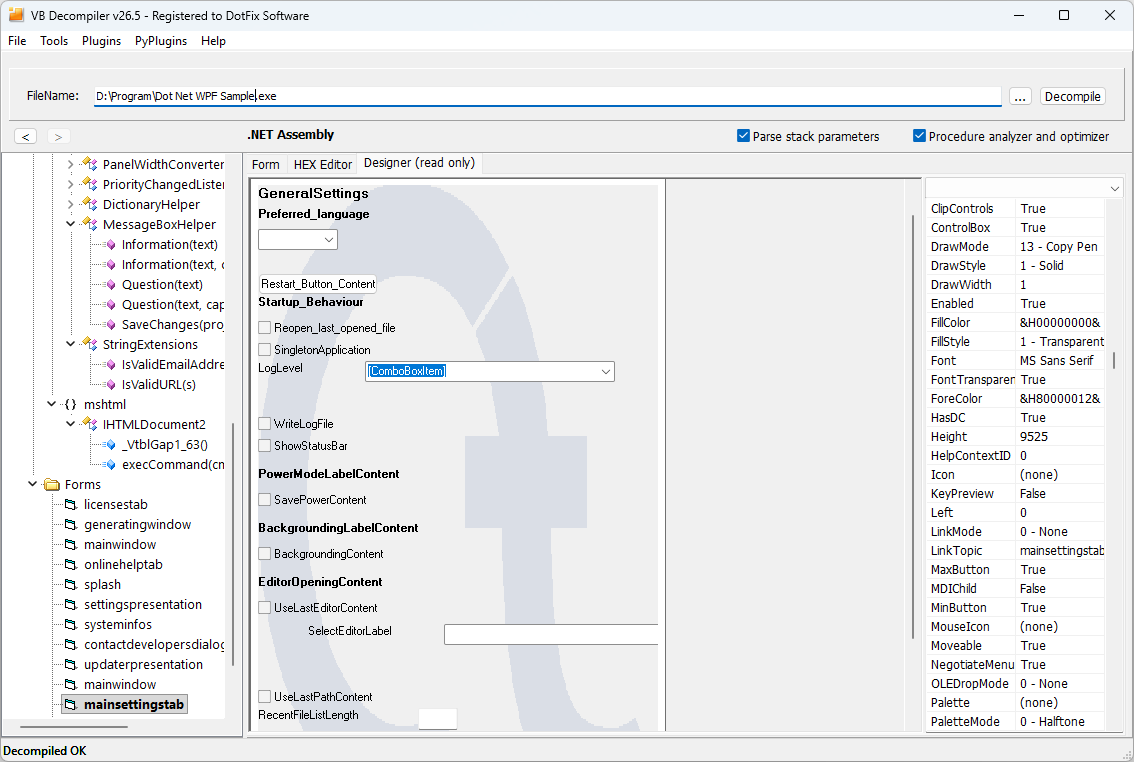
Where the compiled resources provide the necessary data, VB Decompiler reconstructs control names, visible text and captions, tooltips, font settings, background colors, enabled states, and visibility states. Embedded images and form backgrounds are loaded as part of the reconstructed interface, including PNG transparency and background image opacity.
Applications may also use proprietary or third-party WPF controls that are unavailable to the viewer. Instead of silently omitting them, VB Decompiler can display placeholders that identify the original WPF types. The analyst can therefore see where an unsupported control belongs and which type must be investigated further.
A Practical Reconstruction Rather Than a Screenshot
WPF supports an exceptionally broad range of templates, styles, bindings, custom controls, and dynamically generated interfaces. For that reason, reconstruction is approximate rather than pixel-perfect, and particularly complex or runtime-generated layouts may be displayed only partially. The purpose of the viewer is to recover a useful understanding of a form's appearance and structure from the compiled application—and in most cases it provides exactly that context.
Linking WPF controls directly to their event handlers is not yet available because WPF event handling differs considerably from the Windows Forms model. For WPF forms, the current viewer therefore focuses on recovering the interface's visual appearance and structural organization.
Expanded Windows Forms and VB6 Form Reconstruction
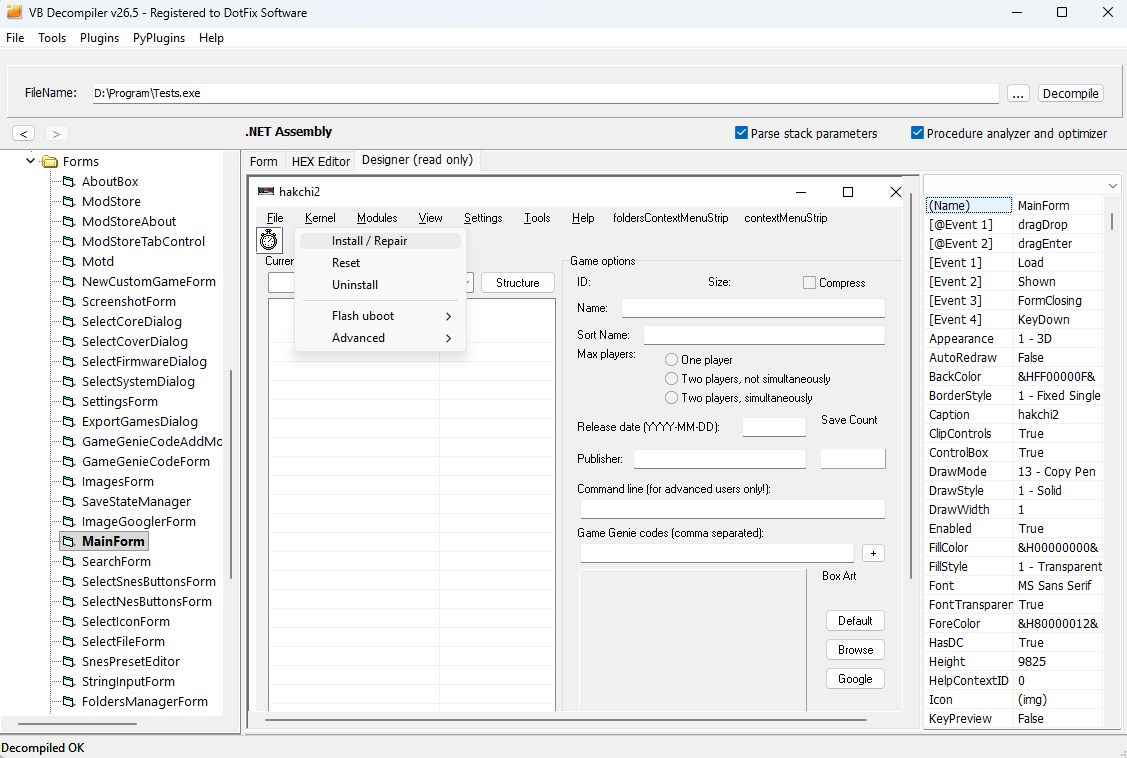
The visual reconstruction engine introduced for .NET Windows Forms in version 26.4 has also received a substantial compatibility update:
- Full menu hierarchy support, including context menus.
- Clicking a menu item in the visual viewer now opens the corresponding
Clickevent. - Support for custom Windows Forms events, shown in the event list with an
@prefix, together with improved matching of standard events. - Correct handling of
MinimumSizewithout overridingClientSize. - Boolean resource properties and correctly escaped quotes in text properties.
- Inherited ambient
ForeColorandBackColorvalues, colors passed throughColor.FromArgb, and numericFontStylebitmasks. - Correct Z-order handling for .NET controls, preventing small controls from being hidden behind larger ones when no explicit container is present.
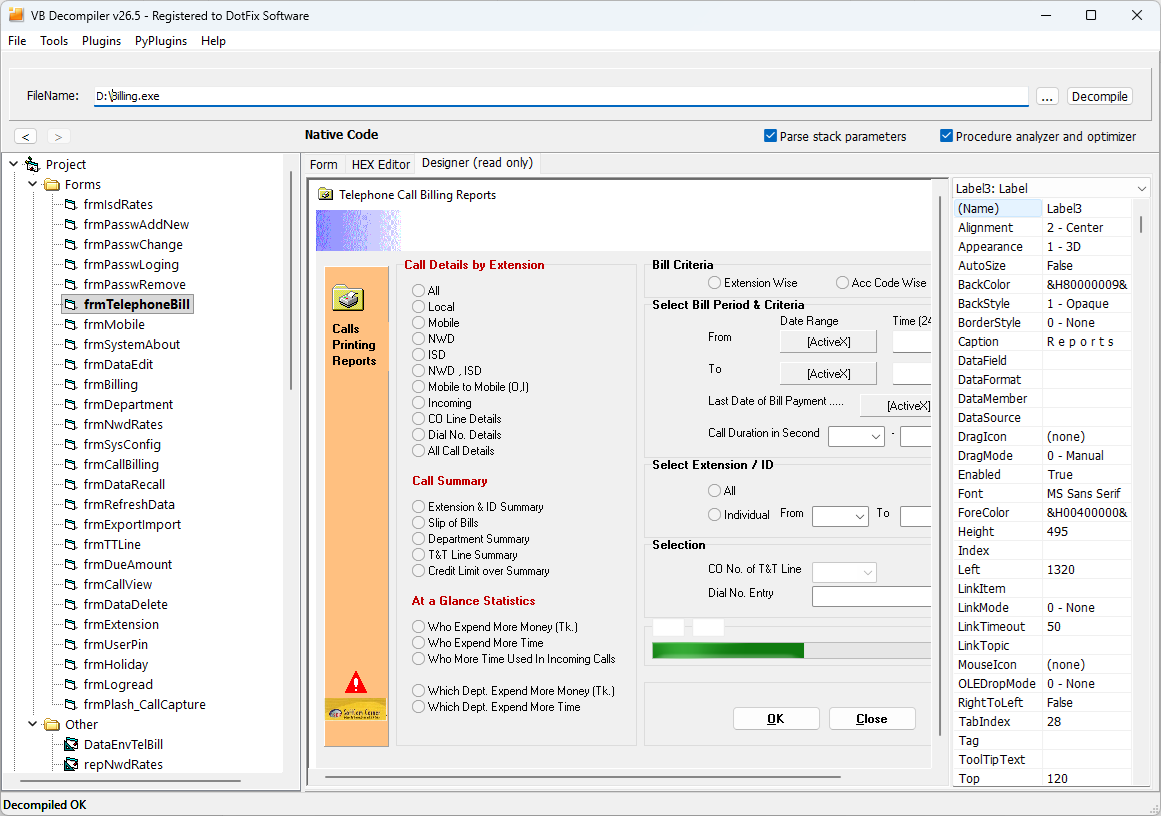
SSTab, MSComctlLib.StatusBar, MSComctlLib.ListView, MSComctlLib.ProgressBar, and MSComctlLib.TreeView objects, with corresponding .NET representations where applicable. Progress bars can be rendered both as independent VB6 controls and as elements inside a .NET status bar.
Improved VB Native Code Decompilation
Version 26.5 significantly improves reconstruction of
Select Case blocks in Visual Basic Native Code. It also broadens and corrects emulation of the runtime functions that the Visual Basic compiler uses to implement high-level language operations.
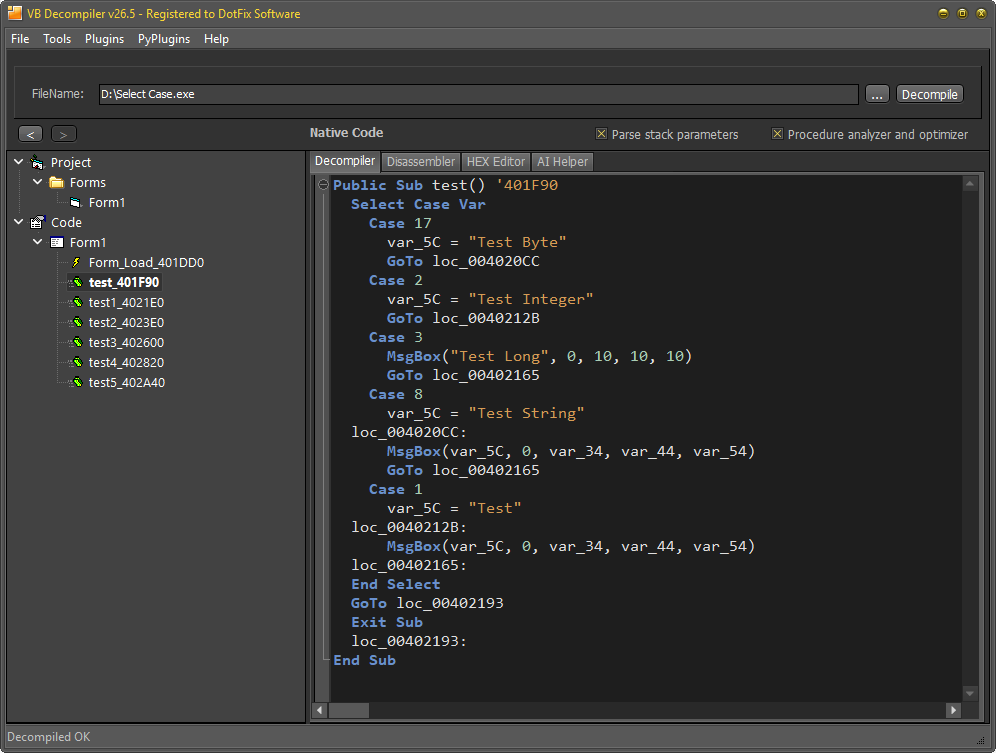
Select Case block recovered from compiled VB Native Code by the improved decompilation engine.msvbvm60.dll, handling has been improved for rtcVarBstrFromByte, __vbaVarIdiv, __vbaR8Str, and __vbaR4Str, while __vbaObjIs and __vbaFileSeek have been corrected.
Support has been added for the
msvbvm50.dll functions __vbaAryRebase1Var, __vbaChkstk, __vbaNew, __vbaStrI2, and __vbaStrI4. Handling has also been corrected for rtcCurrentDir, rtcIRR, rtcMIRR, rtcR8ValFromBstr, rtDecFromVar, __vbaFreeObj, __vbaAryCopy, __vbaFileLock, __vbaFileSeek, __vbaLateMemSt, __vbaLateMemStAd, __vbaNextEachCollVar, and __vbaVarIndexStore.
Two rare engine issues have also been fixed: VTable indexes in Native Code method tables are now handled correctly, and one-dimensional arrays are processed correctly when the number of cells matches the maximum integer value.
Terminology-Focused Localization Update
The Arabic, Brazilian Portuguese, Simplified Chinese, Traditional Chinese, Czech, Danish, Dutch, French, German, Greek, Hebrew, Indonesian, Italian, Japanese, Kurdish (Sorani), Persian, Polish, Portuguese, Russian, Slovak, Spanish, Turkish, and Ukrainian interfaces have been reviewed and expanded.
Missing translations for analytics, tracing, renaming, procedure search, and AI Helper have been completed. Reverse-engineering terminology, malformed entries, and message placeholders have been corrected, while new text remains within the previous character limits to reduce clipping in existing controls.
Available Now
VB Decompiler v26.5 extends visual application analysis from Windows Forms and classic VB forms to compiled WPF interfaces, while continuing to improve the Native Code engine and the day-to-day experience of analysts worldwide. The new version is available now from the download page. Existing customers with an active update subscription can install it as part of their current license.
© Sergey Chubchenko, VB Decompiler main developer
Visual Basic, Visual Studio, .NET, WPF, and Windows are registered trademarks of Microsoft Corporation.