IL and metadata
Inspect managed methods, types, references, and Intermediate Language without executing the target program.

C# and VB.NET assemblies
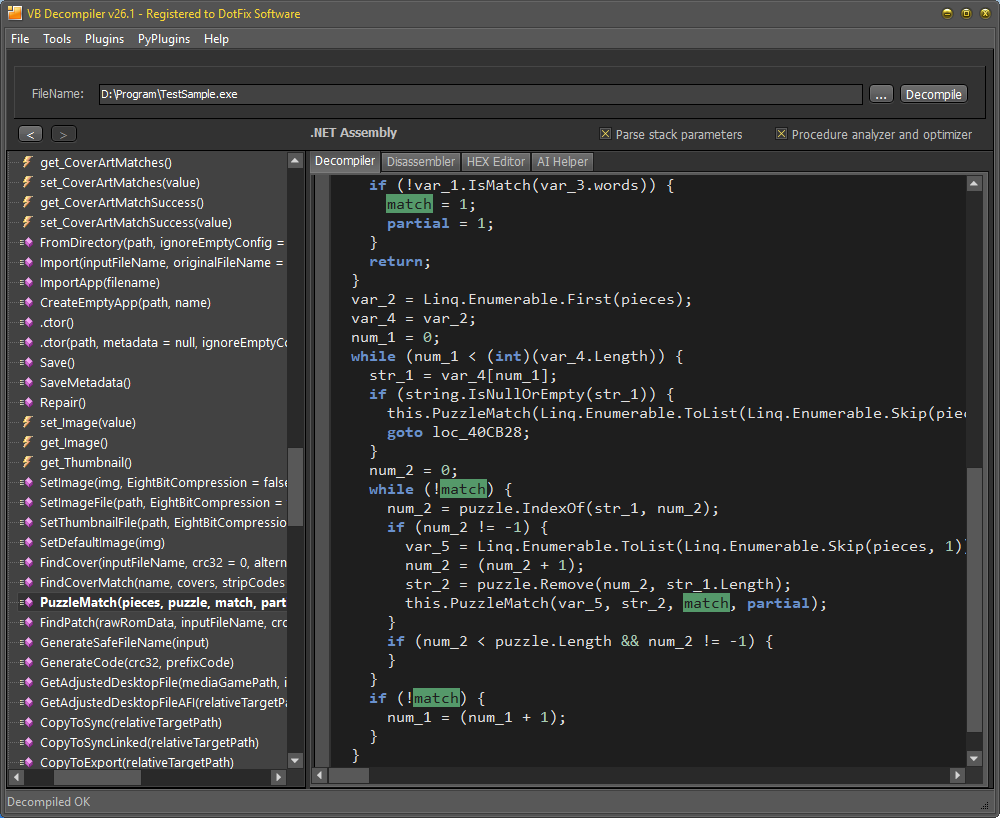
Analyze managed EXE and DLL files, inspect .NET IL, reconstruct C# code in licensed editions, and view supported WinForms interfaces even on a system where the target .NET Framework is not installed.
Inspect managed methods, types, references, and Intermediate Language without executing the target program.
Licensed editions translate supported C# and VB.NET assemblies into readable C# code for analysis and recovery.
Reconstruct supported Windows Forms visually and follow form events to their code.
The decompiler does not require the target .NET runtime to be installed and can be used fully offline.
| .NET capability | Lite | Licensed editions |
|---|---|---|
| Open supported managed assemblies | Yes | Yes |
| Display .NET IL disassembly | Yes | Yes |
| Decompile C# or VB.NET code into C# | No | Yes, depending on edition |
| Visual WinForms reconstruction | See edition chart | Supported |
The built-in AI Helper can use a local offline model or the OpenAI API with prepared prompts to explain, restructure, and improve selected recovered C# code. AI suggestions remain part of the recovery workflow and must be checked against IL, metadata, dependencies, and actual application behavior.
Start with the free Lite edition for .NET IL inspection. A licensed edition adds high-level C# reconstruction and the analysis features needed to investigate and correct the remaining code.