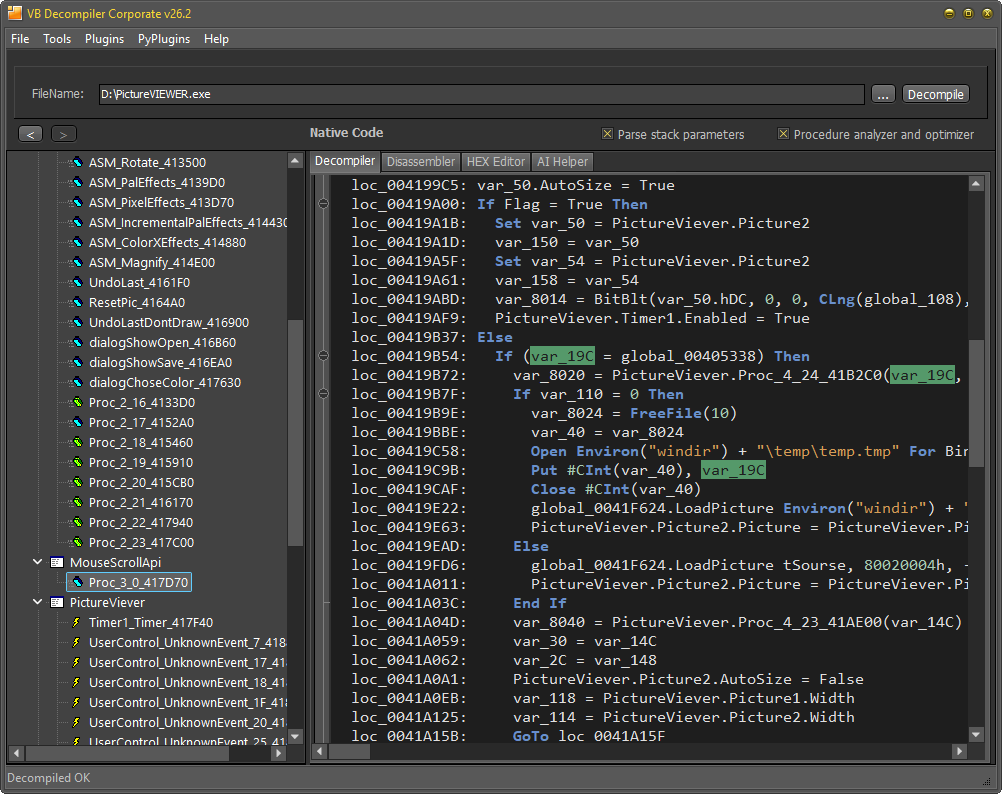
Decompiled view
Reconstructed expressions and VB-aware operations help explain what a procedure does.

VB5/6 Native Code
Native-compiled VB5/6 programs contain x86 machine code plus VB5/6 runtime patterns and project metadata. Effective analysis needs readable reconstruction and the ability to verify every conclusion against disassembly, addresses, registers, stack state, and raw bytes.
Reconstructed expressions and VB-aware operations help explain what a procedure does.
x86 instructions, addresses, and calls let the analyst verify low-level behavior.
The current code addresses can be inspected and patched in their binary context.
Emulation exposes CPU and FPU registers, stack, variables, and state without relying only on static guesses.
| Task | Lite | Licensed editions |
|---|---|---|
| Open supported VB5/6 Native Code files | Yes | Yes |
| View native x86 disassembly | Yes | Yes |
| Recover high-level code | No | Depending on edition |
| Advanced tracing, analytics, and editing tools | No | See Detailed Features |
The built-in AI Helper can process selected recovered code through prepared prompts using either a local offline model or the OpenAI API. It can suggest clearer structures and names and help explain difficult fragments, while the analyst verifies those suggestions against x86 disassembly, tracing results, raw data, and surrounding VB5/6 procedures.
Lite lets you open the file and inspect native x86 disassembly before deciding which high-level recovery and analysis features you need.