VB5/6 interface recovery

Recover VB6 Forms, Controls, FRX Images and Embedded Resources

A useful VB5/6 recovery is more than code. Reconstruct the visual form, inspect control properties and event bindings, then view or export images, icons, and other resources needed to rebuild the interface.

Preserve the relationships that make a form understandable

Visual layout

See forms and supported standard or nonstandard controls in context instead of reconstructing positions from a text dump.

Control properties

Recover captions, dimensions, visibility, enabled state, and other stored properties available in the compiled project.

Event navigation

Move from a visual control's event to the corresponding procedure and connect interface actions with behavior.

Images and icons

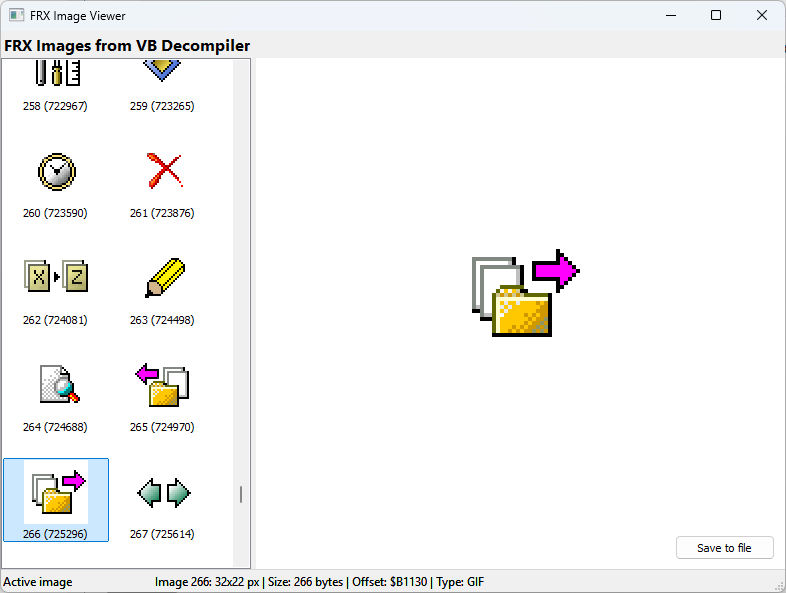
View embedded graphics and export supported resources to disk. The image-viewer plugin is also available with source code.

Complex VB5/6 form reconstructed in the VB Decompiler visual viewer
The visual viewer recreates supported VB5/6 controls so their layout and relationships remain immediately visible.

What Lite can verify

TaskLiteNotes
Decompile the visual part of VB5/6 formsIncludedUseful for checking whether the interface is recoverable.
Inspect P-Code or Native Code behind eventsDisassemblyHigh-level code decompilation is not included in Lite.
Rebuild a complete compilable project automaticallyNoRecovered material must be reviewed and integrated into a new project.
Recovery boundary: form decompilation provides reconstruction material, not a complete VB5/6 project that can necessarily be compiled immediately. Custom ActiveX controls can store proprietary data or depend on control-specific behavior, so an unknown component may be reconstructed only partially. The associated P-Code or Native Code still requires a licensed edition and developer review. Always preserve the original binary and supporting OCX files.

Form recovery in practice

  1. Open the EXE, DLL, or OCX and select a recovered form from the project tree.
  2. Inspect its visual layout and compare control names, captions, properties, and containment.
  3. Follow important events to P-Code or Native Code and reconstruct the associated logic with a licensed edition.
  4. Review String References and embedded resources; export images and icons needed by the replacement project.
  5. Recreate and test the form in a clean VB6 project, adding nonstandard control dependencies carefully.
Viewing and exporting an FRX image recovered from a VB5/6 program
Recovered VB5/6 FRX graphics can be inspected and exported rather than left as opaque binary data.

Related tasks

Check your forms before purchasing

The free Lite edition decompiles the visual part of VB5/6 forms. Use your own legally obtained binary to see what interface structure is available.