
Quick start
To begin the decompilation process of a program, in the main window of the decompiler, click on File and select Open program. Specify the file path. Decompilation will start automatically.
The filename will be also added to the FileName line in the main window of the program, and to repeat the decompilation process, simply press the Decompile button. In case if the entire program is fully processed - the tree of objects in Solution explorer will be filled up and no more information will appear on the status bar. In early versions of the decompiler, you will also see a message Decompiled Ok
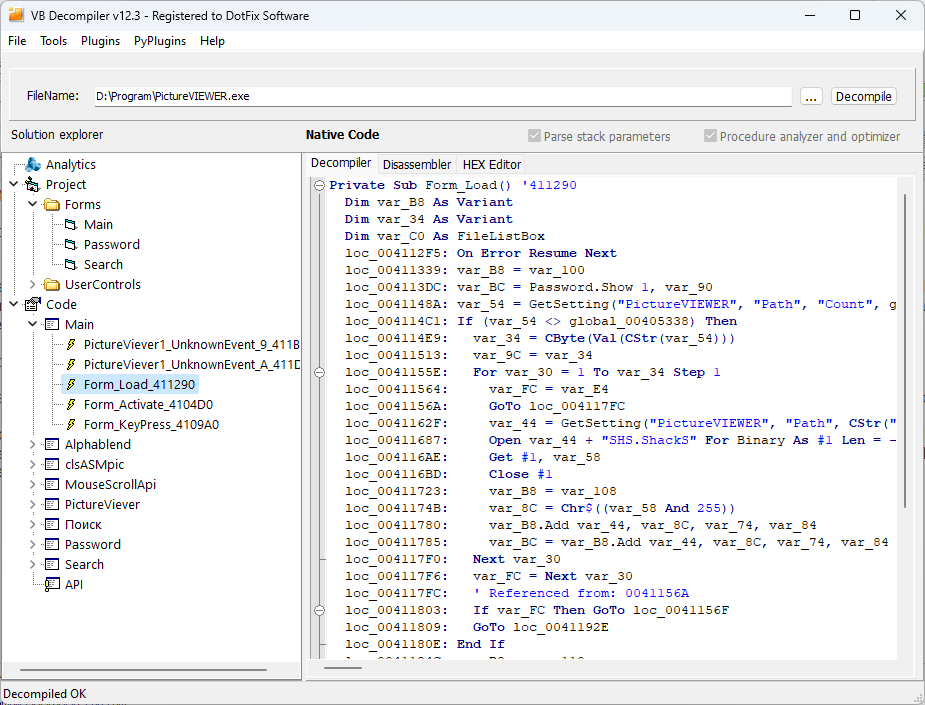
Now you can proceed to analyze the results. For detailed information about the built-in features that help in analyzing code, refer to the Program functions section.
If necessary, generate a project for analysis within Visual Basic 6.0 environment by going to File menu and selecting Save decompiled project. Choose the folder where you want to save the project, forms, and modules. During this process, besides forms, frx files will be automatically generated which store the program icon, graphical objects of forms, and other binary data.