
Color Scheme
This section defines the color scheme and syntax highlighting when viewing code in a decompiler:
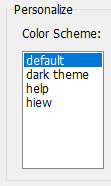
Presets are stored in the "colors" folder within .ini files located in the directory where VB Decompiler was installed. The filenames determine the preset names in the program's settings section. These files have a simple format, and you can easily create them yourself or edit existing ones.
The configuration format is as follows:
[Colors]
Background = decimal color code (for example: 1973790)
Foreground = decimal color code (for example: 14671840)
KeyWords = decimal color code (for example: 13471849)
LocationsAndArguments = decimal color code (for example: 11849128)
Procedures = decimal color code (for example: 5676246)
; next properties is only available in version 12 or later
UnderCursorBackground = decimal color code (for example: 6986069)
UnderCursorForeground = decimal color code (for example: 1973790)
UseDarkMode = 0 or 1 (0 for Light Theme, 1 for Dark Theme)
Colors2 = 0 or 1 (using extended colors at Colors2 section)
[Font]
Name = font name (for example: Consolas)
Size = font size (for example: 11)
KeyWordsBold = 0 or 1 (font bold)
LocationsAndArgumentsBold = 0 or 1 (font bold)
ProceduresBold = 0 or 1 (font bold)
; this section is only available in version 12 or later
[Colors2]
TVFontName = Solution Explorer treeview font name or list of font names, separated by comma (for example: Segoe UI, Tahoma, Arial)
TVFontSize = size of the font (for example: 10)
FontName= = Decompiler and Disassembler font name or list of font names, separated by comma (for example: Courier New, Consolas, Liberation Mono, monospace)
FontSize = size of the font (for example: 11)
Background = BackColor in hexadecimal for Decompiler and Disassembler tab (for example: 1E1E1E)
Foreground = ForeColor in hexadecimal for Decompiler and Disassembler tab (for example: DFDFE0)
; code highllighting
Key = color in hexadecimal (for example: CD9069)
Comment = color in hexadecimal (for example: CD9069)
Char = color in hexadecimal (for example: B4CDA8)
Float = color in hexadecimal (for example: B4CDA8)
Hex = color in hexadecimal (for example: B4CDA8)
Number = color in hexadecimal (for example: B4CDA8)
String = color in hexadecimal (for example: 569CD6)
Symbol = color in hexadecimal (for example: DFDFE0)
; HEX Editor font and colors
HexFontName = font name or list of font names, separated by comma (for example: Courier New, Consolas, Liberation Mono, monospace)
HexFontSize = size of the font (for example: 11)
HexBackground = color in hexadecimal (for example: 1E1E1E)
HexForeground = color in hexadecimal (for example: DFDFE0)
HexGrid = color in hexadecimal (for example: 1E1E1E)
HexActiveFieldBackground = color in hexadecimal (for example: 1E1E1E)
HexOffsetBackground = color in hexadecimal (for example: 1E1E1E)
HexCurrentOffset = color in hexadecimal (for example: B4CDA8)
HexOddColumn = color in hexadecimal (for example: B4CDA8)
HexEvenColumn = color in hexadecimal (for example: B4CDA8)
HexOffset = color in hexadecimal (for example: 569CD6)
The color code is specified in the 32-bit true-color format. Decimal in a Colors section (for backward compatibility with old versions of the VB Decompiler) and Hexadecimal in a Colors2.